
Stop retyping invoices by hand. Save 90% of the time you spend on incoming invoices!
Invoicio reads every incoming invoice, sorts your costs, matches your payments and hands clean, on-time documentation to your accountant — even from a bad phone photo.
14-day free trial. No card required.
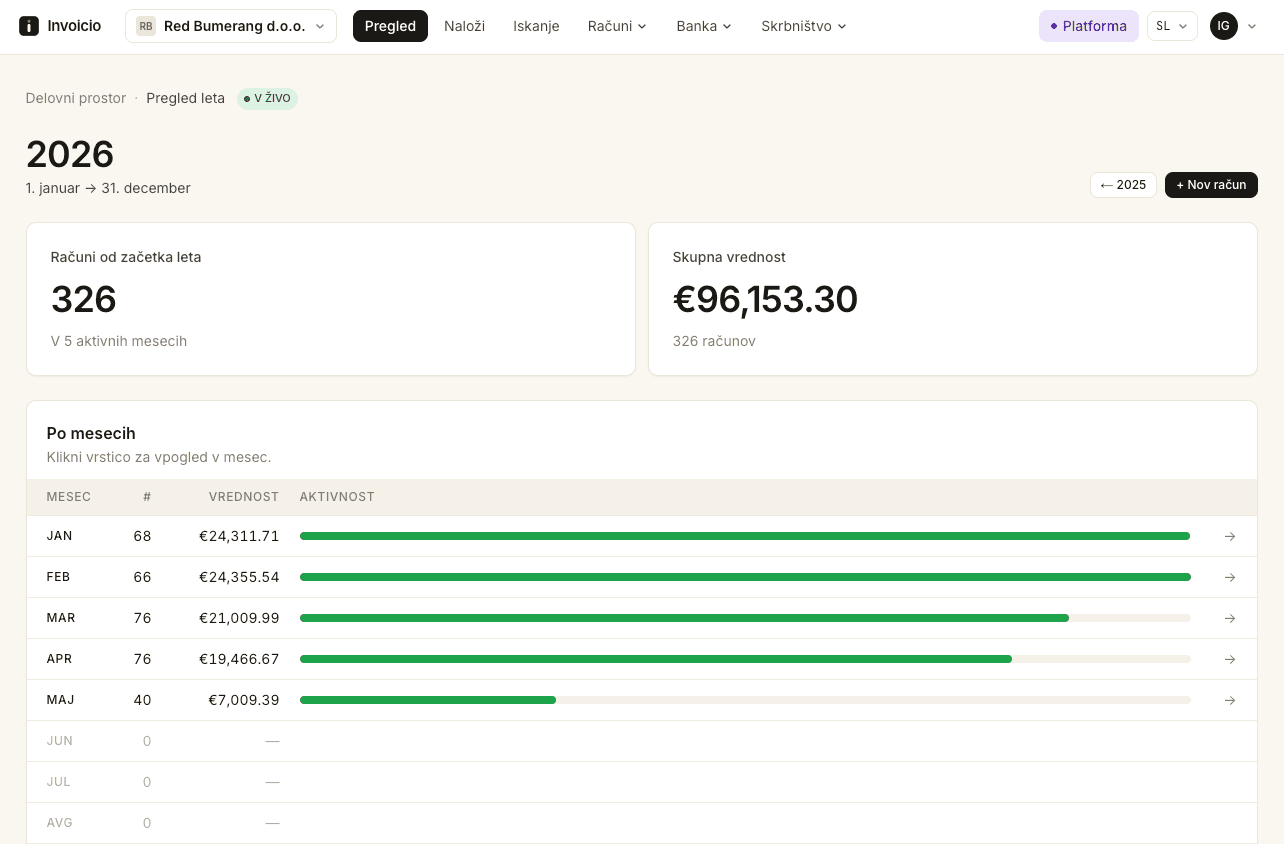
Built and proven in real businesses, together with accounting firms
- In daily use at businesses and accounting firms
- Thousands of invoices a year
- Domestic and foreign suppliers
No retyping, and no lost invoices
The key advantages of Invoicio
Calculate YOUR savings in time and money
Move the slider to your monthly invoice volume and see the time and money handling them by hand really costs.
An estimate, not a promise. Handling an incoming invoice by hand isn't just data entry (about 4 minutes) — it's also finding and matching the payment, which can add up to 10 minutes per invoice. We average this to 8 minutes per invoice at €30 an hour, compared with a quick glance to confirm in Invoicio. Your numbers will vary — try the live test above on your own document.
Everything from the incoming invoice to the hand-off to your accountant
One calm place for incoming invoices, costs, payments and the hand-off to your accountant.
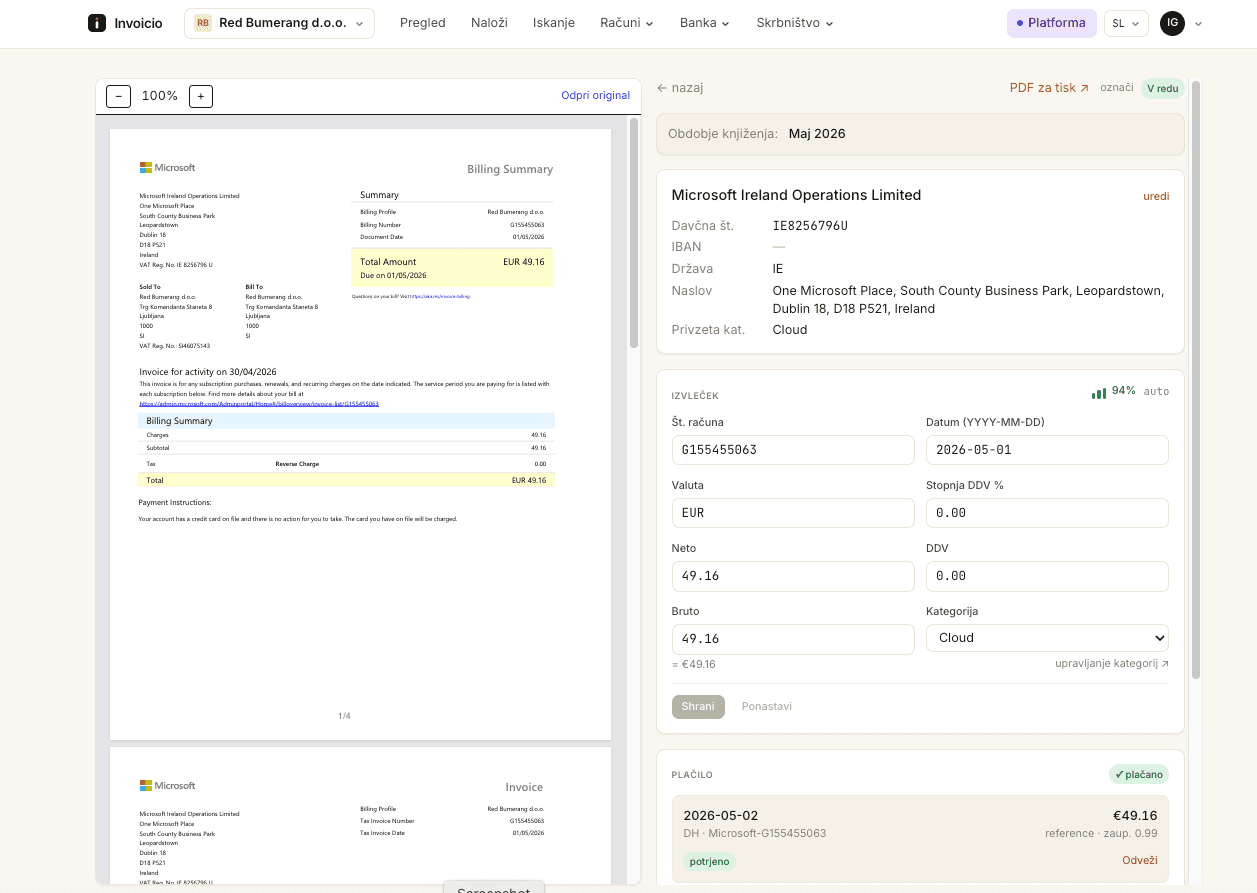
Automatic processing of incoming invoices
Drop in a PDF, a scan or a phone photo. Invoicio reads the supplier, the VAT ID, the dates, the amounts and the VAT, and lines them up for a quick check. No more retyping invoices.
- We support every world language that appears on invoices
- Reads even bad scans, till receipts, faded invoices and crooked photos
- Upload single invoices or a combined PDF (Invoicio automatically splits a combined PDF into separate invoices)
- A simple list of the invoices Invoicio isn't sure about
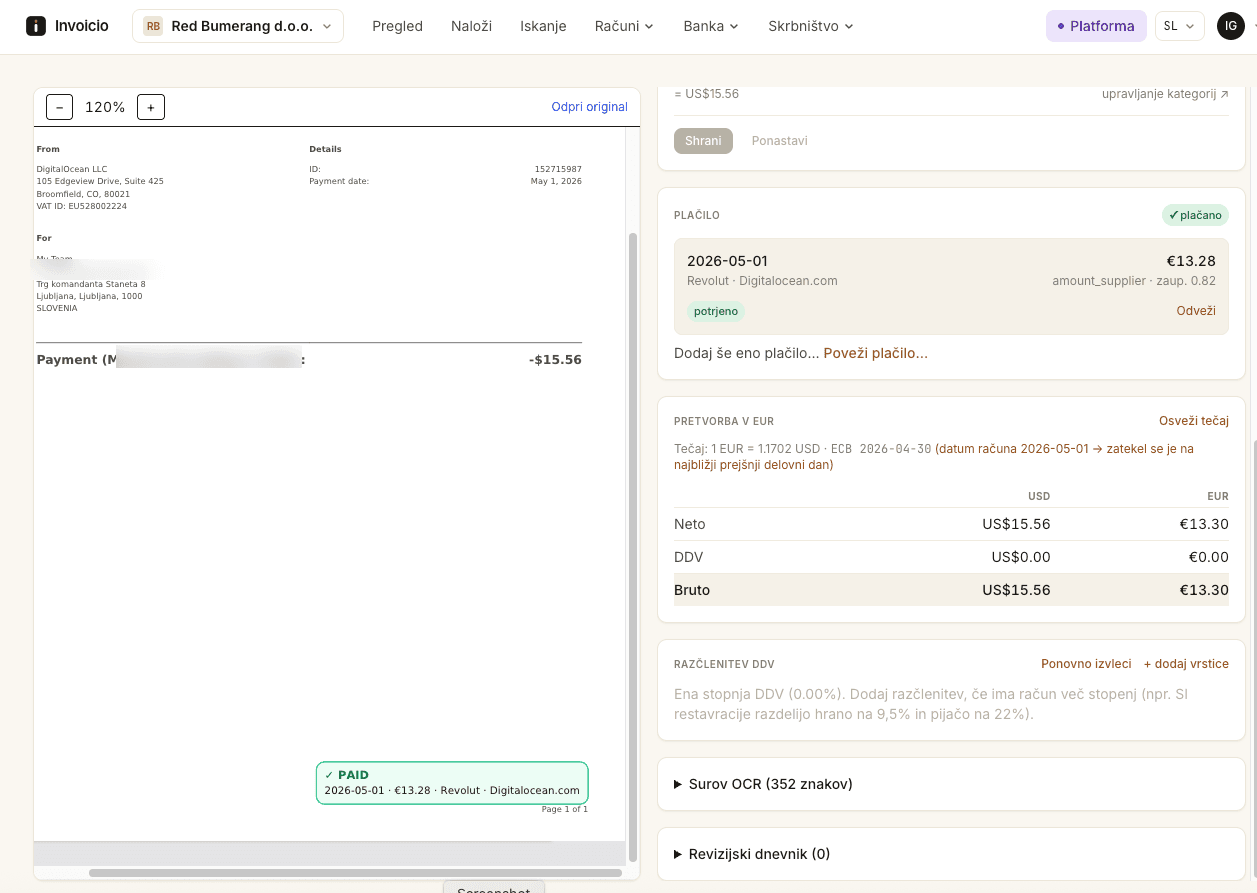
Payments matched to invoices
Bring in your bank activity and Invoicio ties each payment to the right invoice for you, so you always know what is paid and what is still open.
- Reads statements from local and international banks
- Imports card and account exports, including Revolut files
- Flags mismatches between payments and invoices
- A simple list of unassigned payments
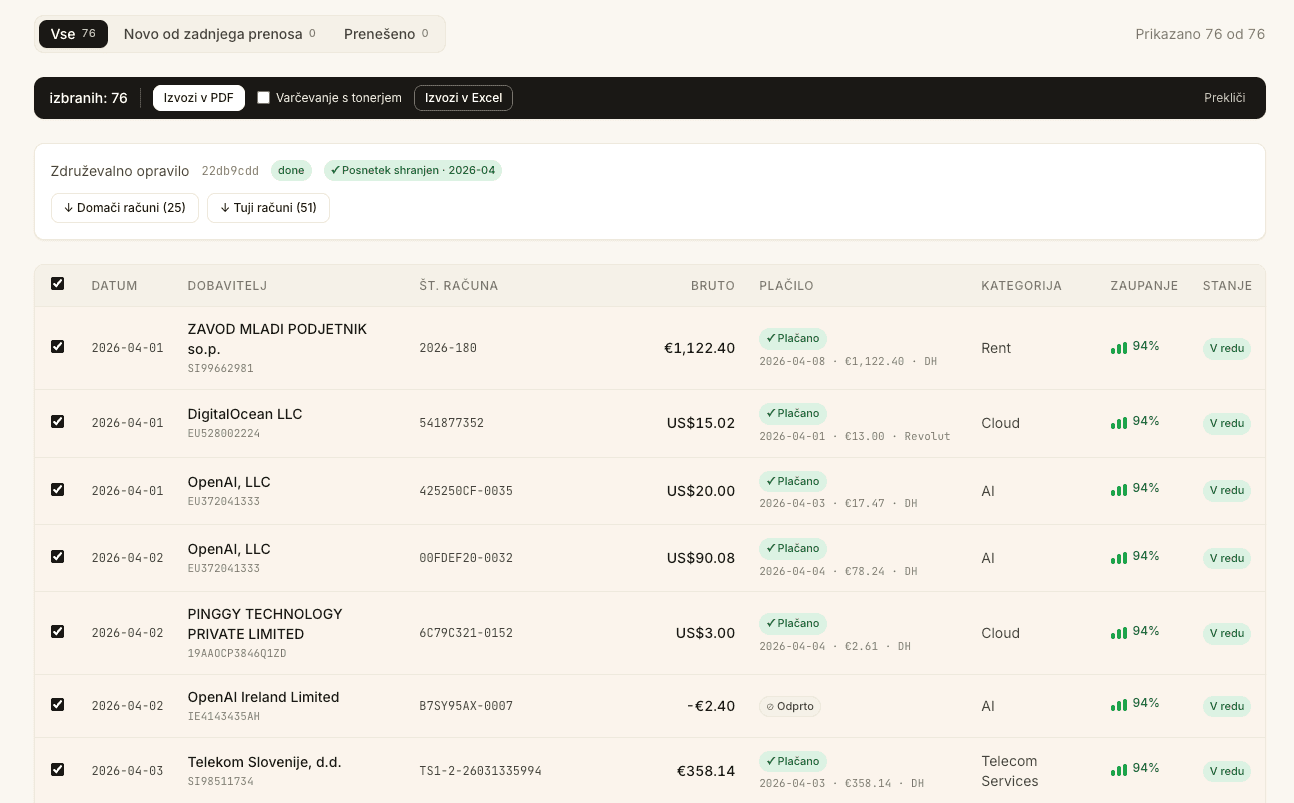
Clean files for the accountant
At month-end, hand over tidy, ordered invoices instead of a pile of paper. Domestic invoices in one file, foreign in another — each ready to print without the usual headaches.
- Domestic and foreign invoices stay separate and in chronological order
- Automatic clean-up of poor scans
- Every invoice carries its payment details, so closing it is genuinely simple
Costs you can actually see
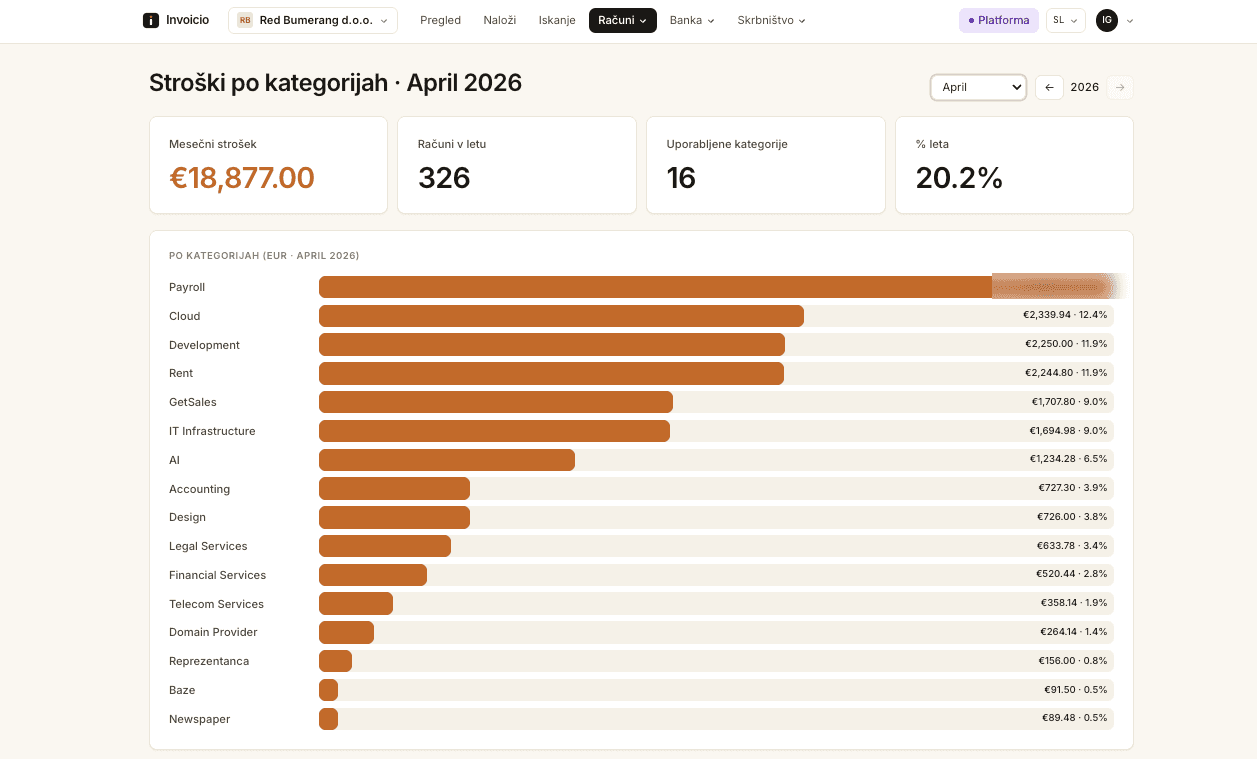
Set up the categories that matter to your business and watch spend add up in each one. For the first time you have a tool that helps you visualize your costs.
- Your own categories, your own view
- Spend per category, month by month
- Spot creeping costs early
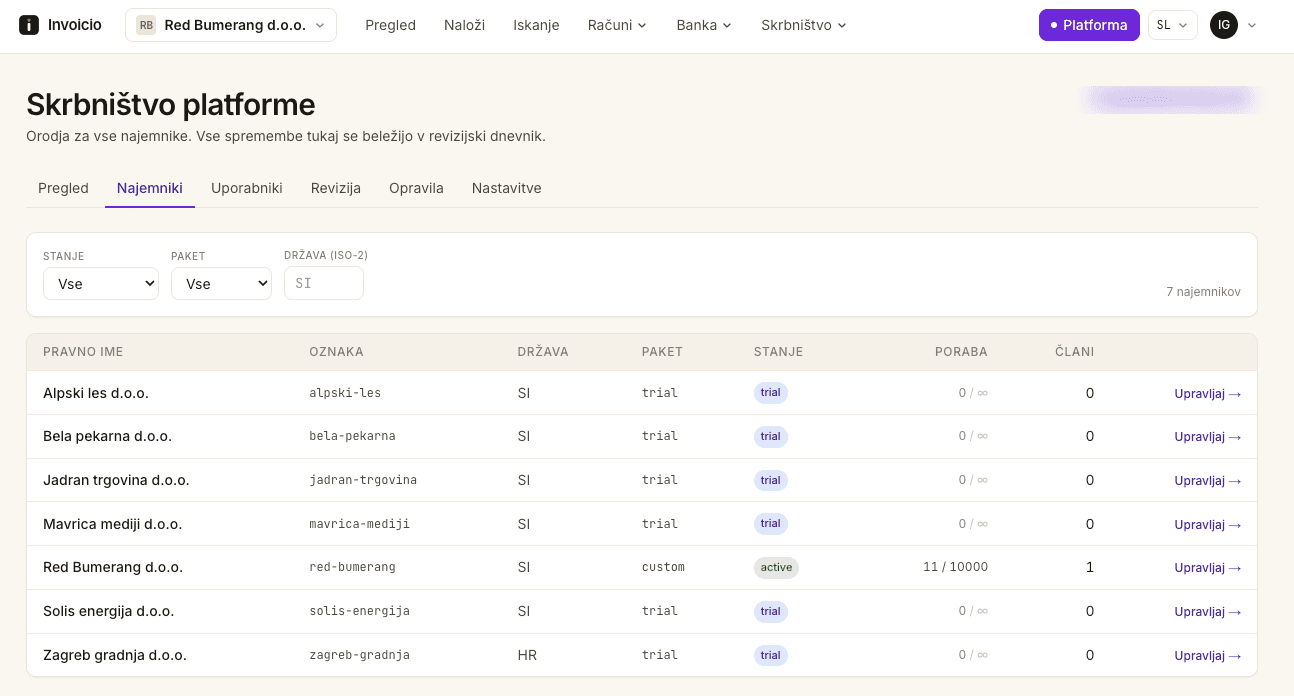
Many companies, one place
Switch between companies in a click and keep every client tidy and separate. Built for a desk that handles a hundred companies, not just one.
- One login for every company you manage
- Each company kept fully separate
- Invite your team and share the load
Test it on your own invoice
Upload an invoice and see exactly what Invoicio reads from it. No sign-up — you can try up to three documents a day.
Drag an invoice here, or choose a file
PDF or photo (PNG, JPG), up to 10 MB
A bad scan from a phone? We read it.
Crooked, dark, half-folded, scanned with a black bar across the page — the kind of document that defeats other tools. Invoicio cleans it up and reads it anyway.
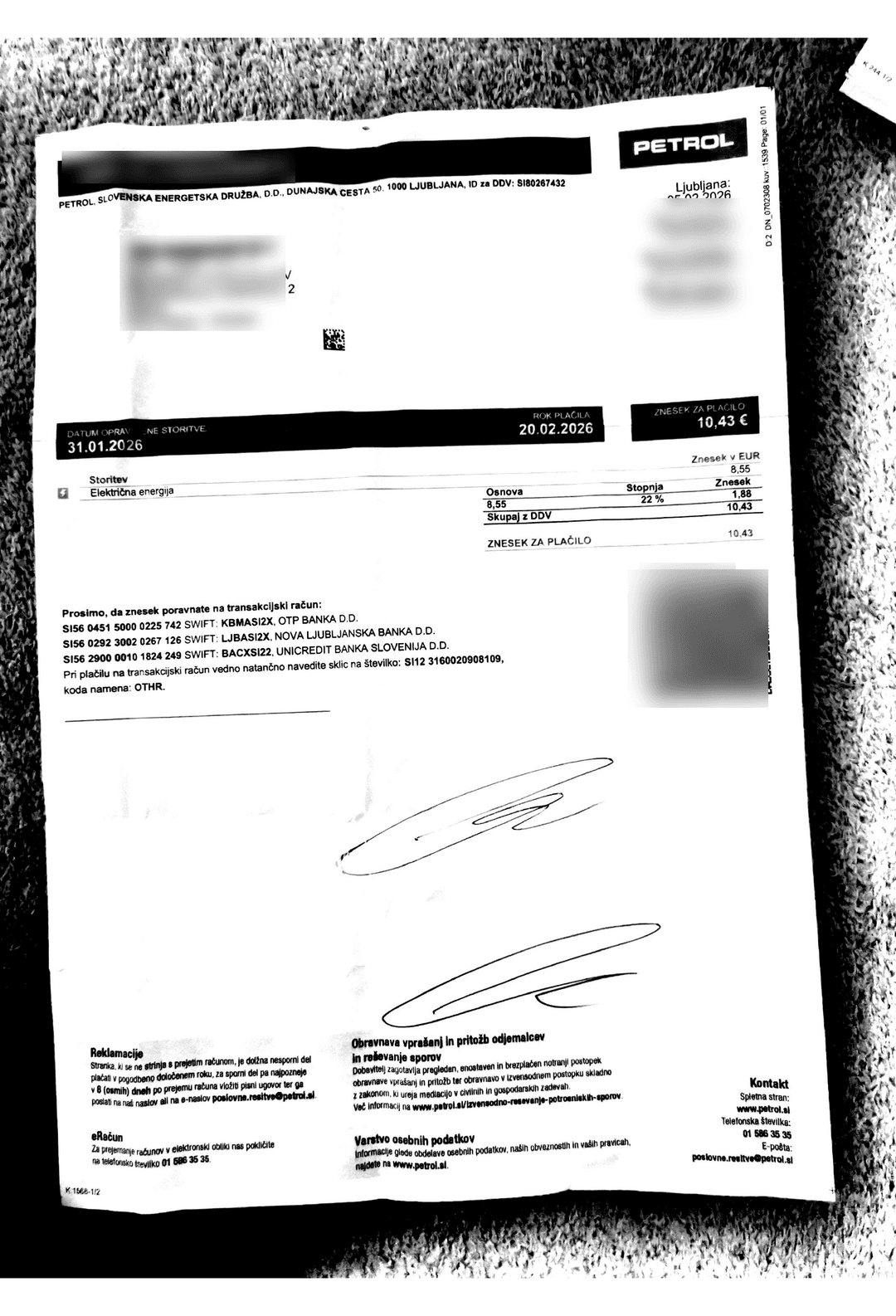
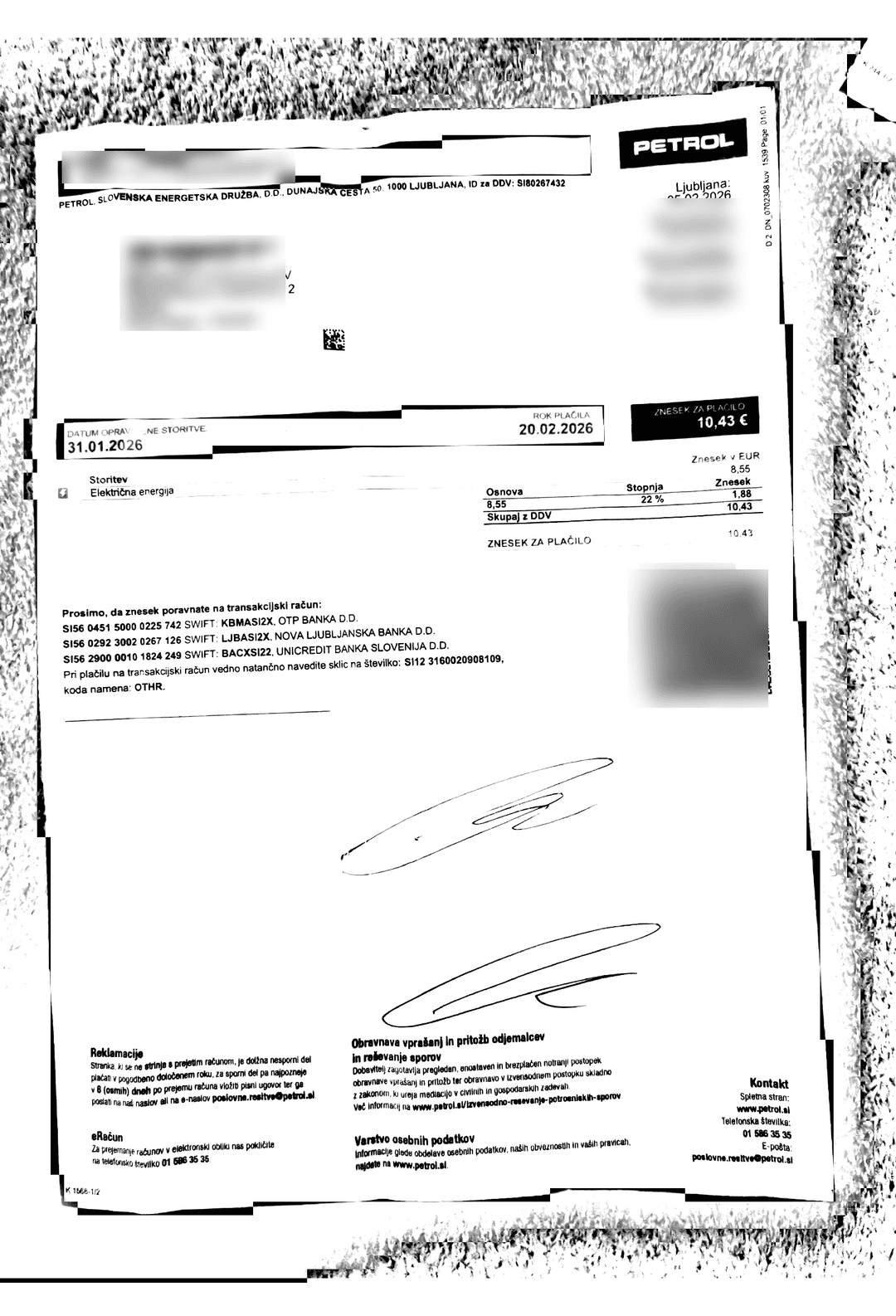
A real scan with a heavy black band, cleaned automatically so the text — and the ink in your printer — survive.
- Reads faded, crooked and low-quality scans
- Removes heavy dark marks left by scanners and copiers
- Keeps every page legible and light on toner
From a single phone scan of fifteen mixed documents, Invoicio recognised every invoice, reminder and statement and split them into separate, correctly named files — no manual sorting.
Automatic reconciliation of payments and invoices
Let Invoicio match your incoming invoices to bank payments for you
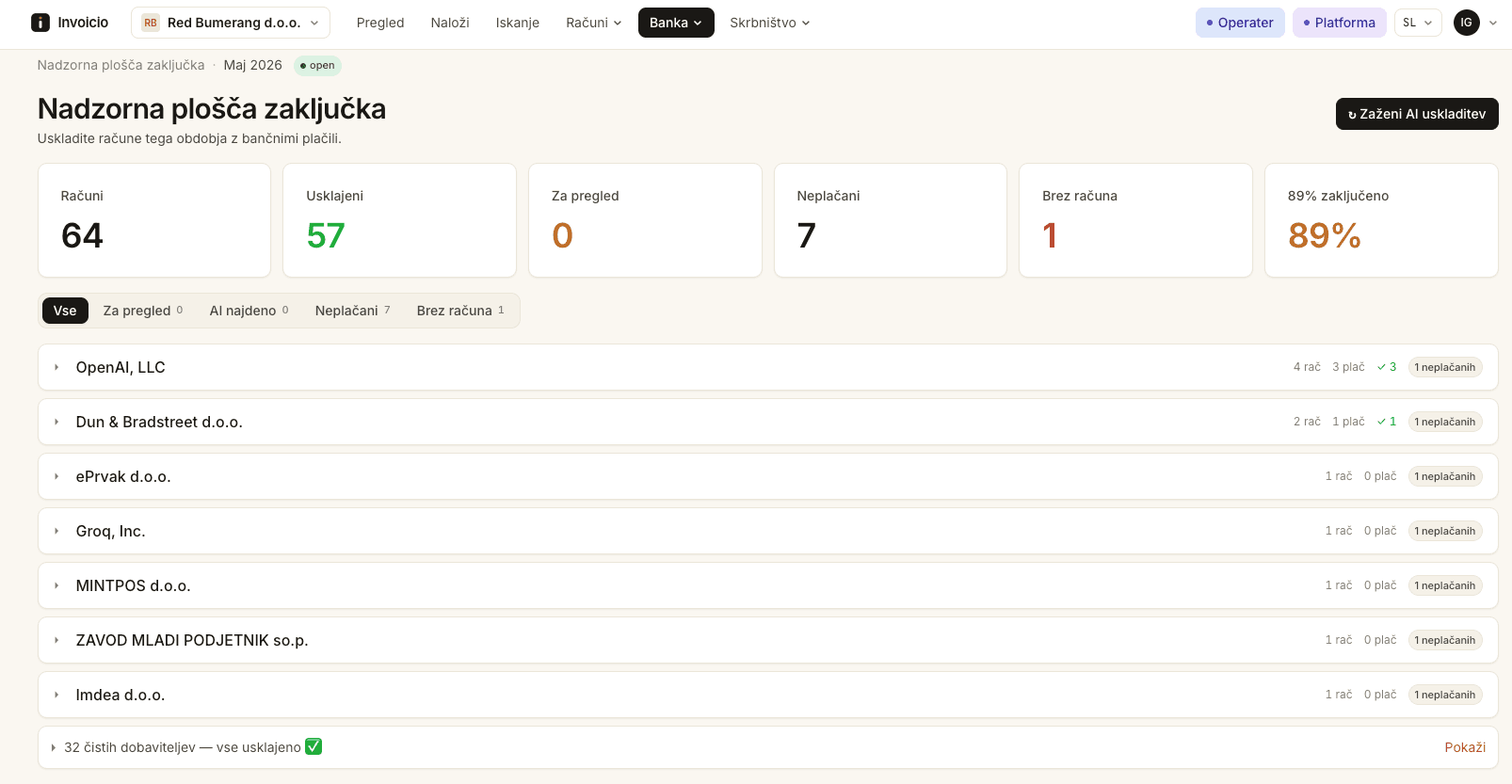
Invoicio automatically recognises which payment belongs to which invoice — even with foreign currencies, partial payments, several invoices in one transfer, or when the supplier name on the bank statement differs from the one on the invoice.
Every match is backed by clear reasons and a reliability score, so you always know why it was proposed.
How reconciliation works
Always know what's still unmatched
Invoicio automatically prepares an overview of:
- unpaid invoices
- partially paid invoices
- payments with no matching invoice
- invoices with no detected payment
So your open items are always under control.
* Based on real Invoicio client data. The share of automatically matched invoices depends on how individual suppliers bill and on the quality of the bank data.
Every invoice you receive, safely kept for 10 years
Switch on Archive and every invoice you receive is automatically stored from day one in a secure, immutable 10-year archive — separate from the live system, encrypted, and always at hand when you need it for accounting, internal review, or tax procedures.
- Every invoice you receive, automatically kept for 10 years
- Immutable storage, ready for any document review
- Separate archive storage in the EU region
- The archive fills automatically from day one — no extra work
- Your whole invoice history in one place, always available with fast search
- SOC 2 Type 2
- ISO 27001 data centres
- EU Central region in Amsterdam
- Object Lock / WORM immutable storage
- AES-256 encryption at rest
- TLS encryption in transit
Available as a paid add-on. Accounting firms switch it on per client; businesses enable it for their own company.
The same technology, a process tailored to every type of client
We understand the needs of business owners, accounting firms and finance departments in larger companies.
Small & growing businesses
Track your costs with ease, mend the relationship with your accountant, and deliver invoices before the deadline.
See howAccounting & bookkeeping firms
No more retyping incoming invoices by hand. Simplify your work and save huge amounts of time, even with 100+ clients.
See howFinance teams in larger companies
No more retyping incoming invoices by hand and chasing them around the company.
See howAutomatic transfer of incoming invoices into your ERP or accounting software
We support all the leading ERP and accounting systems in Slovenia and Croatia.
- PantheonComing soon
- MinimaxComing soon
- BirokratComing soon
- ČebelicaComing soon
- MetakockaComing soon
- e-računiComing soon
- SAOPComing soon
- VascoComing soon
- PantheonComing soon
- MinimaxComing soon
- SynesisComing soon
- LuceedComing soon
- CalculusComing soon
- SoloComing soon
- KorpComing soon
Connections are rolling out one by one. Tell us which software you use and we'll make sure yours is covered.
Real people, in your language, around the clock
When a problem comes up, you need a solution NOW. Our team is there to support you while you work.
- Talk to a person who understands accounting, not a chatbot
- Help when the 20th and month-end deadlines are close
- Onboarding help to bring your suppliers and history across
Invoicio is your automated bookkeeper
Questions people ask
Your monthly VAT return can be far calmer and stress-free
Start free in minutes, or talk to us about implementing Invoicio in your processes.